# Project Scanning
Project Scanning (also referred to as Folder Scanning) is an **essential** operation that can be done through the [Launcher](https://zerodensitydocumentation.gitbook.io/docs/reality-5.3-sp1/reality-5.3-sp1/user-guide/launcher/launcher-interface) and [Configuration](https://zerodensitydocumentation.gitbook.io/docs/reality-5.3-sp1/reality-5.3-sp1/configurations/configuring-reality-hub) Modules.
Project Scanning operation allows you to **discover available projects and assets** in your local folders, or shared storages.
It is also an inseparable part of **synchronizing information between local and shared storage**, ensuring that files on both systems remain up to date.
{% hint style="warning" %}
If you make any changes in the project content or folder structure during a design stage, it would be helpful to proceed with scanning.
{% endhint %}
### Process
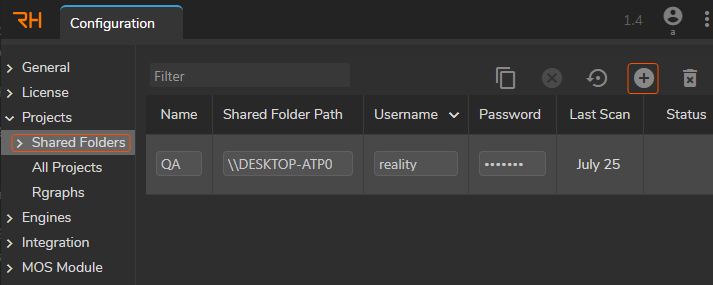
Shared Folder Settings in Configuration Module
You can scan your project via the **`Scan`** button in the **Configuration** > **Shared Folders** section, as shown above.
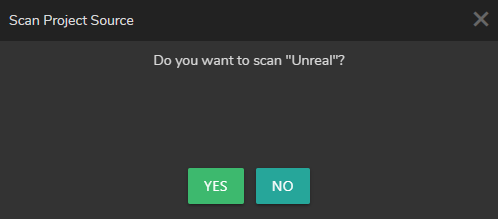
Scan Project Source
When you add a new **Shared Folder Path**, Reality Hub offers to scan the **Project Source** as shown above.
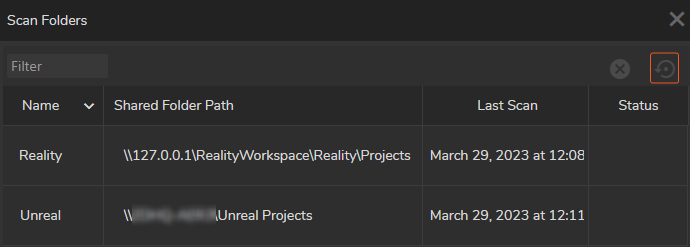
Project Scanning in Launch Configuration
You can also conduct scanning via its dedicated **`Scan`** button in the Launch Configuration, as illustrated above.
{% hint style="info" %}
Scanning via Launcher Module or Shared Folders Configuration bears the same result.
{% endhint %}